Digital Merchandising 101: How to Maximise Conversions - The New Basics
Most online stores leave product grids to default sorts and keyword matching, letting high-margin items sit unseen. Discover how intentional ranking rules, smart pinning, slotted layouts, and intent-driven search turn browsing into revenue—before shoppers ever reach your site.
Plenty of online stores skip that step. Category pages run on the platform’s default sort, which often just means newest first or the order products were uploaded. Search returns whatever matches the typed words. Meanwhile the best-margin jacket in the catalog sits on page three, behind a sold-out one with a single size left. Shoppers don’t make it to page three.
Good online merchandising gives you that control back. It puts the right product in front of the right shopper at the right moment, and it does that on category pages, in search results, through recommendations and, more and more, inside the AI tools people use before they ever reach your site. Get it right and it becomes one of the most direct ways to maximize conversions without buying more traffic.
What Is Online Merchandising?
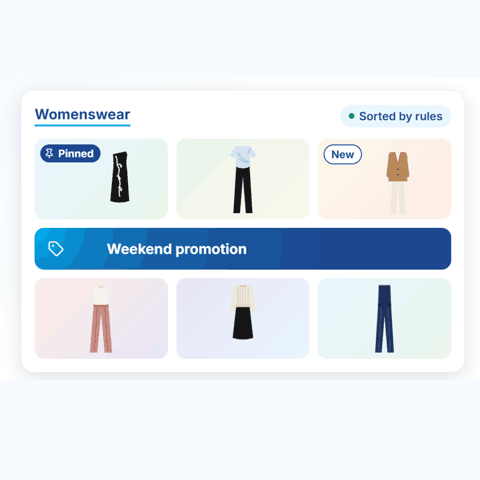
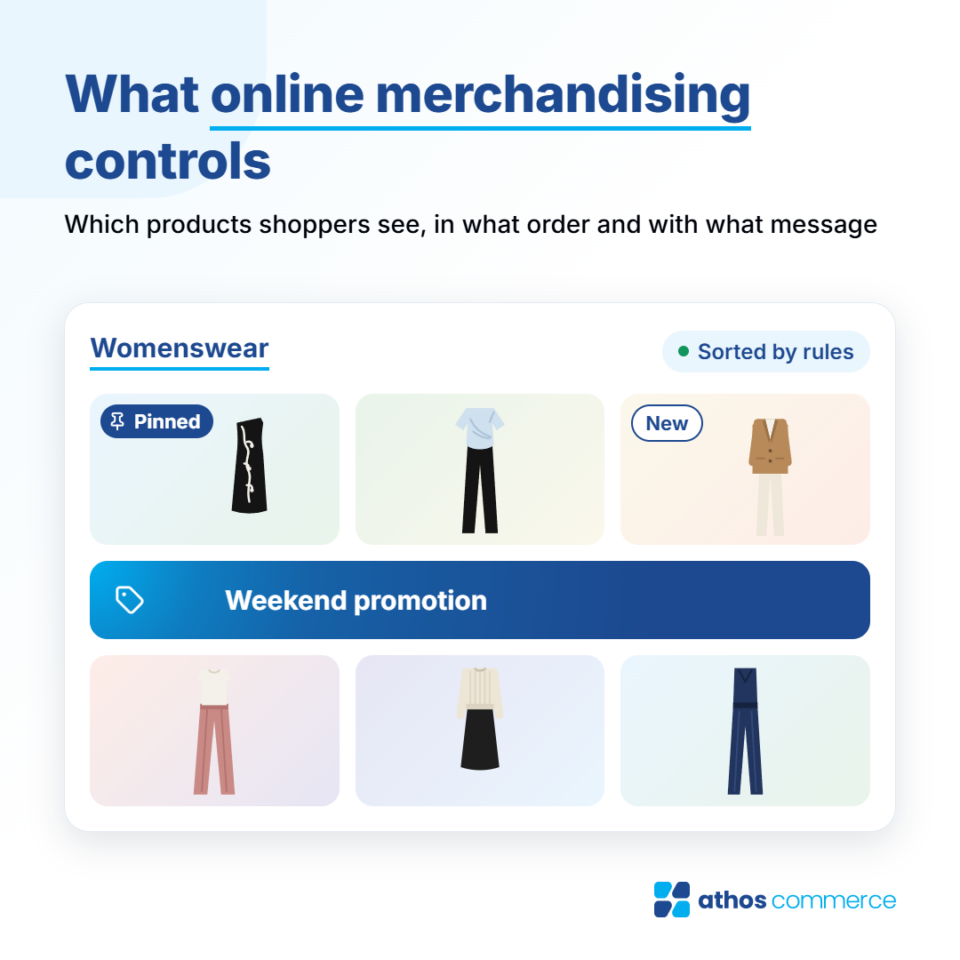
means deciding which products shoppers see, in what order and with what message, on every page of your store. In a physical shop that job covers window displays, end caps and the impulse buys by the register. Online, you do it with ranking rules, pinned products, badges, banners, recommendations and curated landing pages. That covers product merchandising, visual merchandising and how you organize categories so the store is easy to shop.
The goal hasn’t changed since the first shopkeeper rearranged a shelf. What has changed is how much revenue now rides on getting it right.
Your Highest-Intent Shoppers Are Worth the Most
Alex Ross, a senior business development manager at Athos Commerce, has worked with retailers across Australia and New Zealand for more than four years and sees the same pattern again and again. Shoppers who use site search are a small share of traffic and a big share of revenue. Kip&Co saw about 7.5% of its sessions use search, yet those sessions generated 47% of its revenue. AS Colour gets 53% of its revenue from search on average, and its search conversion rate is 18.2%. “It’s not about how many use it, it’s what percentage of revenue it makes up,” Alex Ross said during our webinar.1 Those are high-intent customers who came to the site for a specific reason.
Shoppers like that have already done the deciding. What they see in the first row of results decides whether they buy from you or go somewhere else.
Those shoppers also want on-site experiences tailored to them. According to McKinsey research, 71% of consumers expect companies to deliver personalized interactions, and 76% get frustrated when that doesn’t happen.2 McKinsey’s researchers put it bluntly: “Consumers don’t just want personalization, they demand it.”
How Do You Use Online Merchandising to Increase Conversions?
Stop Trusting the Default Sort
Default sorting is the online version of shelving stock in the order it came off the truck. It’s neutral. Neutral rarely sells.
Relevance gets you only partway there. A “sort by relevancy” option doesn’t add much once every product in the result set is already relevant. If a shopper searches for a dress, every dress qualifies. The real decision is the order. As Alex Ross put it in our webinar, “you’re not just listing your products, you’re selling in that grid.”3 In the product overview, Alex Ross showed a boost rule that surfaces products published in the last 60 days with more than 50 units in stock, and it keeps updating as those numbers change. A tiebreaker rule underneath can add performance signals such as clicks, conversion and purchases.
Set a global rule that reflects what the business needs, then override it category by category. A good starting rule weighs several signals at once. Boost products that convert on purchases, not clicks. Push high-margin items higher as long as results stay relevant, and give trending products a lift based on recent popularity. Sale items can carry date triggers so they drop back on their own when the promotion ends.
Then demote your out-of-stock and backordered products to the bottom, along with broken size runs and anything missing an image. A shopper who clicks through to three sold-out dress product display pages (PDPs) in a row has very little incentive to try a fourth.
Pin With Purpose and Let Rules Handle the Rest
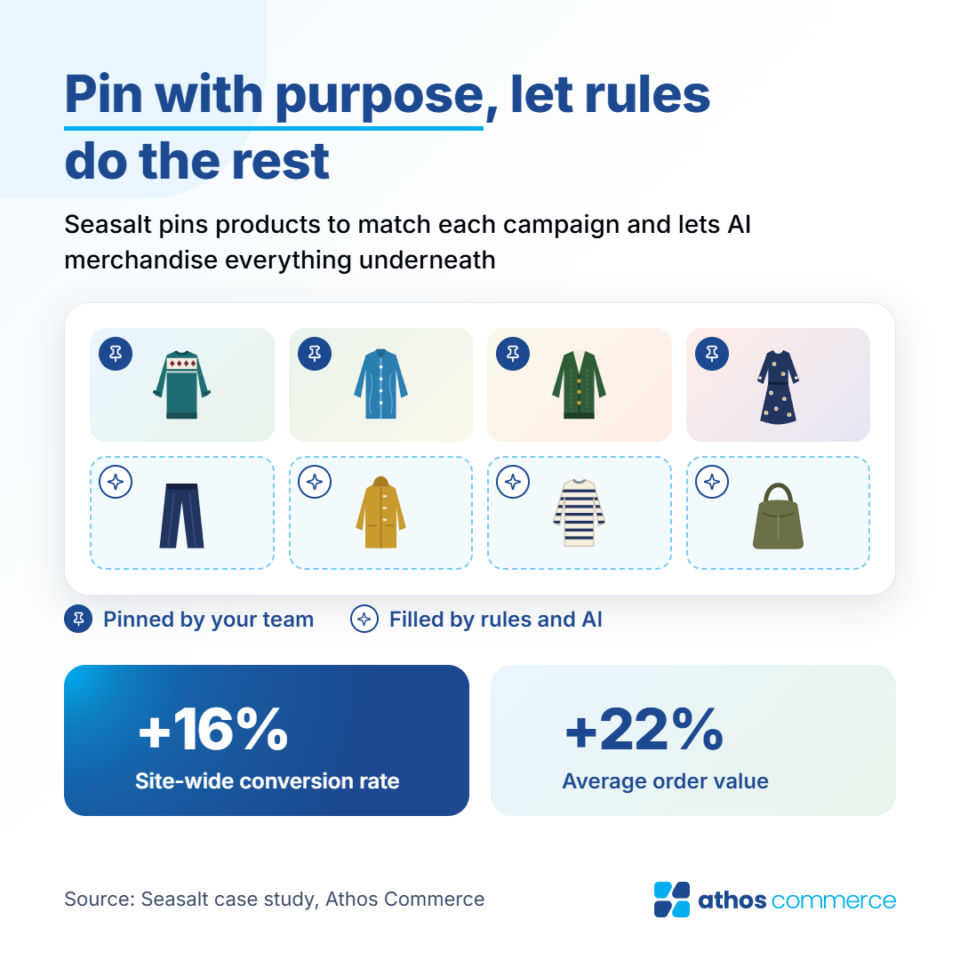
Pinning gives you exact control over the most valuable spots on a page. However, the real value exists in balancing careful curation with automation.
learned that its shoppers mostly used filters rather than browsing a fixed layout. So the team pins 16 products across the top four rows to match each campaign and lets AI merchandise everything underneath. “When it comes to layout of category pages, we need to be customer led,” said Jana Lindner, Senior Digital Trade Manager at Seasalt. Site-wide conversion rate rose 16% and average order value climbed 22% after implementing these merchandising tactics.
Pins don’t have to be permanent, either. In the product overview, Alex Ross showed unpinning conditions that drop a product from its pinned spot once it sells out or after a set time frame, so controlled curation stays in place when it makes sense, and falls back to automation when stock or campaigns change.
With in Athos Commerce, teams can pin hero products, boost by geography or customer segment, and fill slots automatically with new arrivals or bestsellers. Sold-out products swap for matching items without anyone touching the page.
Use Slotted Merchandising to Keep Pages Fresh
A single rule can only do so much for a category page. It sorts everything the same way, from the top of the page to the bottom. Slotted merchandising splits the page into sections and gives each one its own job.
Picture a dresses category on a Monday morning. The first slot fills with new arrivals automatically, and the next one fills with bestsellers. A third might hold a pinned hero product and an inline banner for the week’s promotion. Each slot runs on its own rule and holds up to 20 products, so the page keeps changing as stock moves and nobody has to rebuild it by hand.
Sold-out products are where manual layouts break down the fastest. With in Athos Commerce, a product that sells out can be replaced by another product that matches each slot’s rules. The new arrivals row stays full of new arrivals. No one has to spot the gap first.
Campaigns get more room, too. Teams can pin hero products and add inline banners inside any slot, with up to 100 curated positions per campaign.
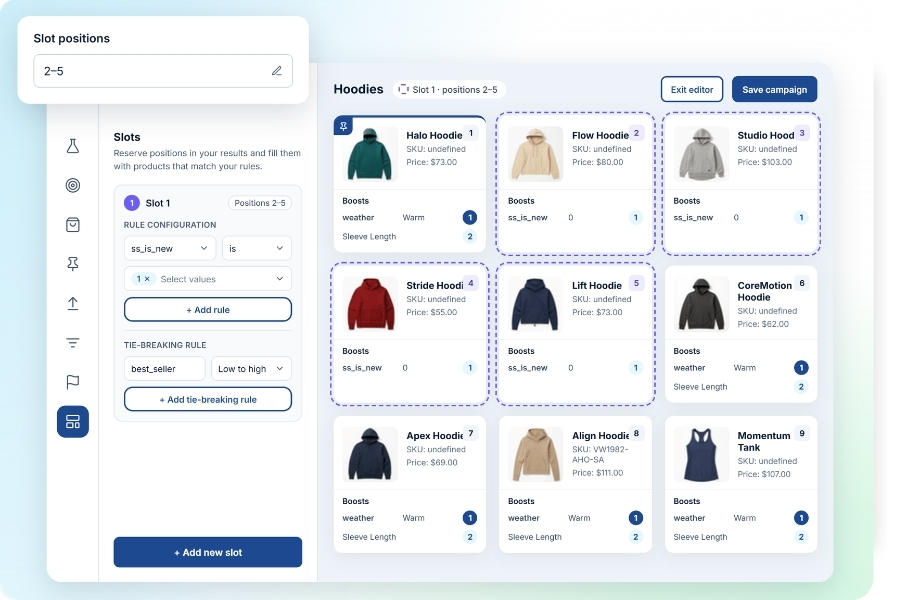
Good stores have always hung matching pieces next to each other. For example, a swimwear brand might group its tops and bottoms into pairs online, the same way they would hang together on a rack in a shop. Slots make that kind of layout easy to keep in place. A swim top can stay beside its matching bottom, and products that share a color tone or finish can sit side by side. A shopper who likes one piece sees the rest of the look right next to it, which gives them an easy reason to add both.
Test slot layouts like any other merchandising change. Run a slotted category against your current layout, and keep whichever one wins on conversion and revenue.
Rank by Intent, Not Just Keywords
Two shoppers can type the same words and want different things. Picture someone searching “light jacket” right after browsing summer dresses. They probably want a lightweight travel layer. A shopper typing the same phrase in late October wants something warmer. Keyword matching gives both of them the same list.
closes that gap. It reads live signals like in-session clicks, browsing history, time of year and device, then reranks products inside the guardrails your team sets. Personalization tells you who the shopper is. Intent tells you what they’re trying to do right now, and the two work best together.
The payoff shows up in team hours as well as revenue. Aje saves two to three full days a week through automated merchandising, according to Alex Ross in the product overview.1
Treat Site Search as a Merchandising Surface
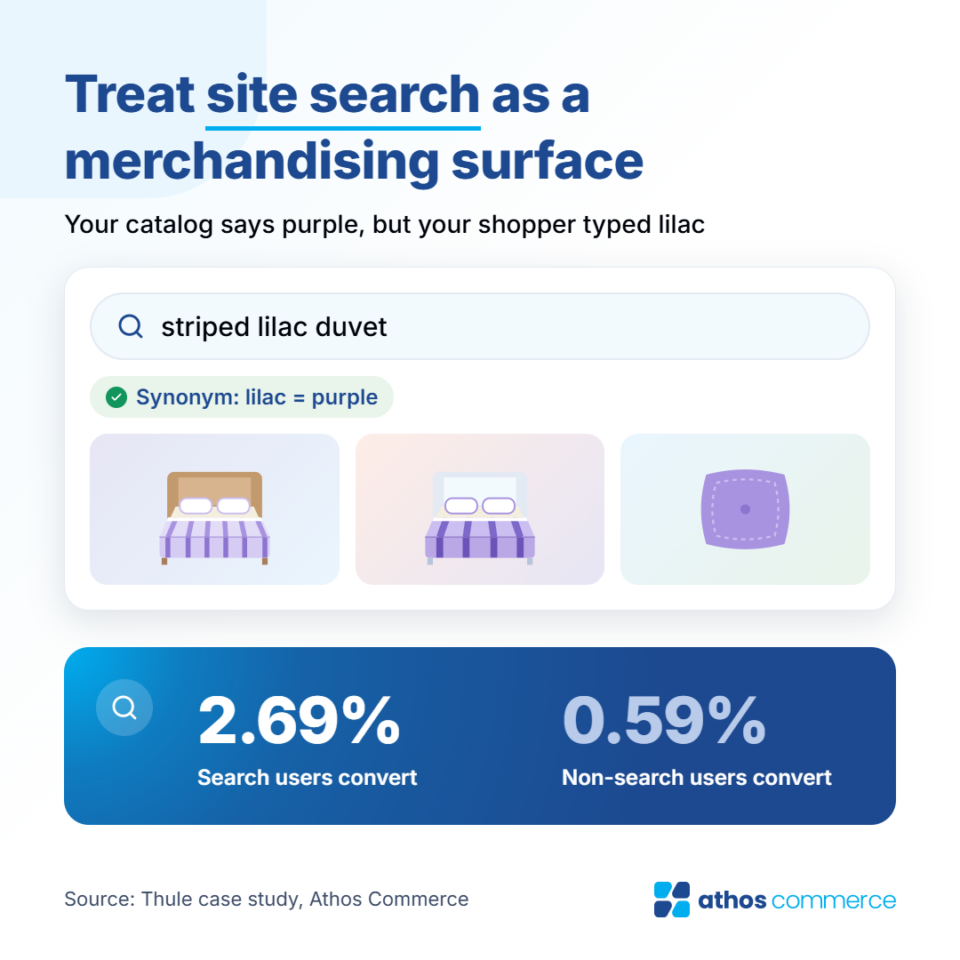
In the webinar, Alex Ross described a shopper who sees your social media ad, comes to your site and searches for a striped lilac duvet. You’ve called the color purple, so they land on a zero-results page, which means an immediate bounce. “Shoppers need to be able to find what they’re looking for very quickly,” Alex Ross said in .
Stories like that are common. In the , search users convert at 2.69%, compared to 0.59% for non-search users. Even so, 56% of ecommerce sites still fail to adequately support what shoppers search for, according to Baymard.4
Much of the fix starts with your data. Alex Ross pointed out in that some catalogs carry 23 different names for a single color, which makes it hard for shoppers to filter or search by a simple color name. A standard color value alongside each branded shade fixes that, so a shopper searching for orange doesn’t need to know your product is called pumpkin spice.
Then close the gap between your language and your shoppers’. Someone might search for a quilt when your catalog says blanket. Grouped and one-way synonyms handle that, and redirects can send certain searches straight to a brand page or your returns policy. You don’t need a thousand synonyms on day one. Start with your top 20 or 50 search queries by volume and merchandise those results first. Make sure the search bar is easy to find, too, especially on mobile, where it often ends up hidden behind a menu icon.
Personalize, but Keep Full-Price and Sale Shoppers Apart
Getting personalization right pays off. McKinsey found it most often drives a 10 to 15% revenue lift.2
The trick is knowing which shopper you’re personalizing for. During a sale, run separate journeys for full-price and markdown shoppers. Full-price shoppers should keep seeing full-price products, with recommendations split at product, cart and checkout level. Leading with your deepest markdowns protects nothing, and a wall of sale tags can push full-price shoppers away.
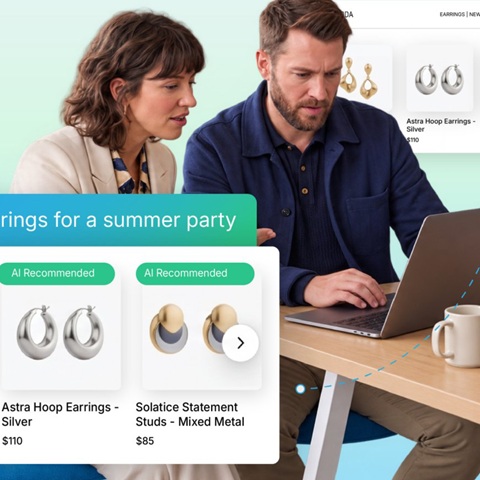
Recommendations carry extra weight on product pages, since so many shoppers land there straight from ads, social and AI tools without seeing the rest of your range. Show them similar items in case this one isn’t right, plus complementary items that grow the order. Recently viewed products are easy to overlook. They convert well when shoppers are jumping between tabs.
Personalization doesn’t have to mean giving up control. In our webinar , Alex Ross explained that the business rules in the platform always win: boost rules and underlying logic inform personalization, and teams can A/B test personalized setups against static ones.5 One retailer Alex Ross works with found that some categories performed much better with personalized merchandising than with their existing static logic, and that full-price and sale customers responded differently to different logic. Because Athos Commerce imports 12 to 18 months of historical sales data, personalization is useful from day one.
Use Badges and Banners With Restraint
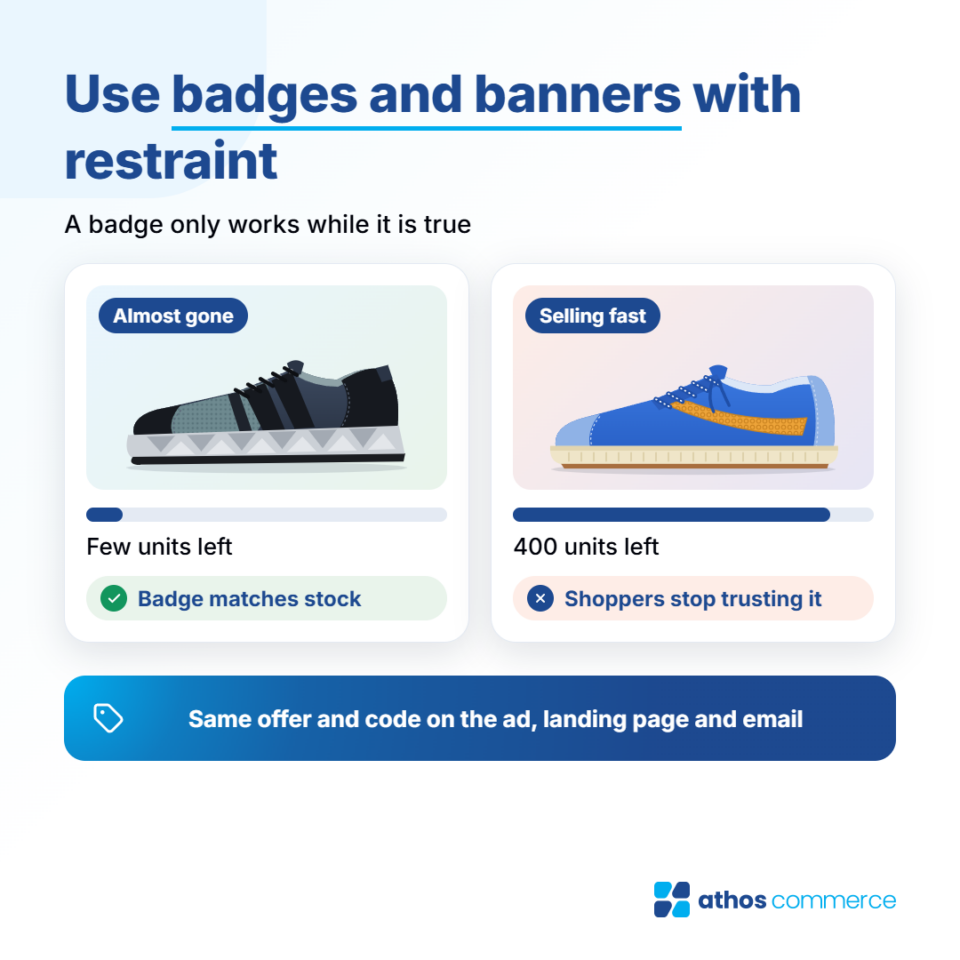
Badges create urgency. They also burn trust fast when they’re wrong. A “selling fast” badge on a product with 400 units left gets noticed, and not in a good way.
Banners need the same care. Change them with the season, and with the local climate if you sell across regions. Some shoppers scroll straight past the top banner, so an inline banner inside the product grid catches them on the way down. Keep the promo code and message identical across the social ad, the landing page and the email, because any mismatch makes shoppers doubt the offer.
Merchandise for Margin
Conversion rate is only half the story. Rules that weigh margin, full-price status, stock depth and size availability give your best stock the best positions every day, and nobody has to remember to move it there. Products with broken size runs drop out of sight before they cost you a sale.
Test, Keep the Winner, Repeat
Every merchandising decision is a guess until you test it. Run two strategies side by side on the same category, schedule the test, and roll out whichever converts better. Then do it again next month.
moved its category merchandising off manual work and onto automation. Sitewide conversion rate rose 15%, and category bounce rate fell 5%.
Plan ahead for the big moments. In the product overview, Alex Ross showed campaigns scheduled in advance, so a Black Friday promotion ends at midnight and the page swaps over on its own with nobody having to jump in.
Extend Merchandising Across Channels and AI Shopping
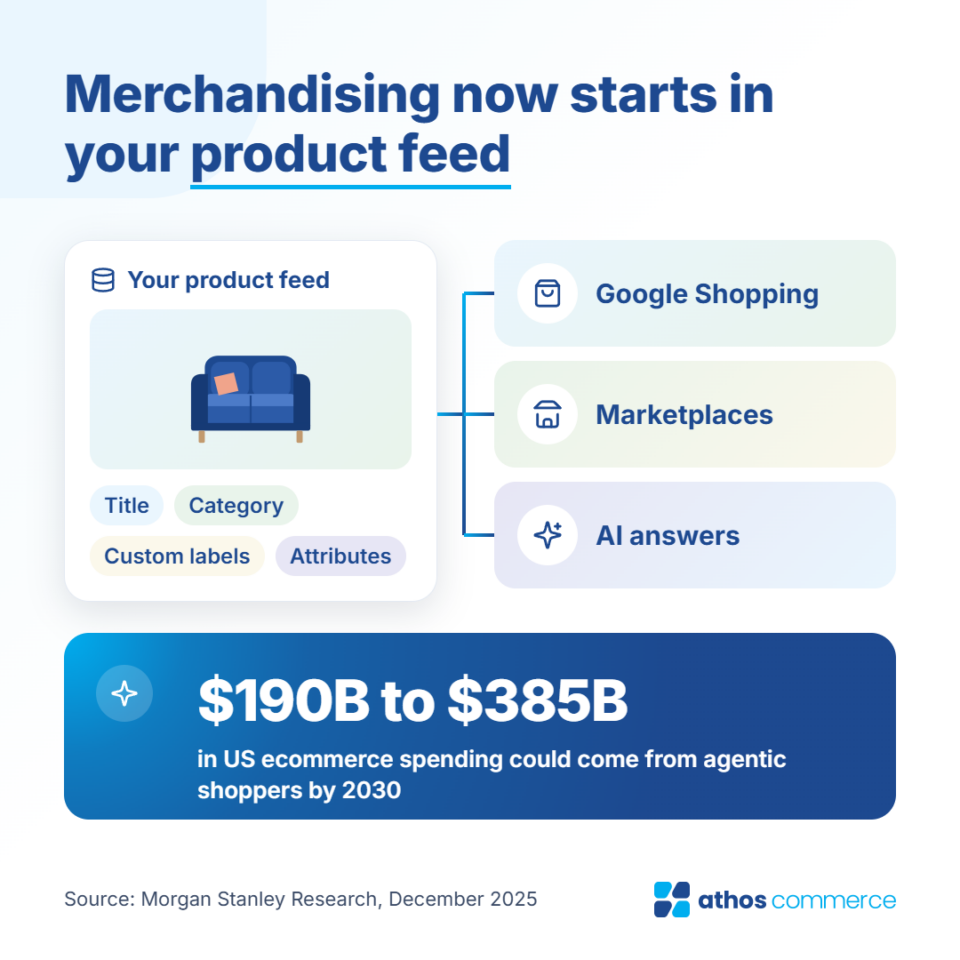
A growing share of merchandising now happens before the shopper reaches your site. Titles, categories, custom labels and attributes in your product feed decide which products appear in Google Shopping, on marketplaces and in AI answers. You’re still choosing what gets seen. The shelf has simply moved.
That shelf is getting bigger. Morgan Stanley Research estimates agentic shoppers could account for $190 billion to $385 billion in US ecommerce spending by 2030.6 “Agentic will be a paradigm shift for ecommerce,” said Nathan Feather, who covers small- and mid-cap internet companies there.7
Alex Ross made the same point about AI in : AI enhances good data when there’s a strong structure, but it’s difficult to rescue bad data. AI shopping tools lean on three things when choosing products. They need to be able to read your pages, your schema markup has to match what’s visible on the page, and your feed has to be complete. walks through each of them. The product detail page still closes the sale, and shoppers arriving from AI expect quick answers on fit, materials, shipping and returns when they land.
Feeds are also where problems hide. audits a feed in minutes and checks it against Google Merchant Center rules before products get disapproved. Your team can then apply fixes inside the platform instead of exporting everything to a spreadsheet.
Where to Start Now
No migration is needed to begin. Pull your zero-result queries first, because each one is a shopper telling you exactly what they wanted in words your catalog doesn’t recognize. Then look for searches with plenty of traffic and very few add-to-carts, where the products show up but miss on price, fit or context. Sessions that bounce right after a search come last. Alex Ross also pointed to the category reports in the product overview: find the pages with the highest views and the longest time on page but the lowest conversion rate, and set up merchandising rules there first.
If the catalog is large, fix your top sellers and highest-traffic search terms first. Everything else can follow.
The best shop staff never stop moving stock around. They watch what people pick up, put the right thing by the door, and change it again when the season turns. Online merchandising asks the same of you, with better data and a lot more doors.
How Athos Commerce Helps You Merchandise for Conversion
Athos Commerce brings , , and together in one platform. The same product data that shapes what shoppers see on your site also powers how they find you in Google Shopping, on marketplaces and in AI platforms like ChatGPT and Gemini, across 1,400+ destinations. Merchandising rules, pinning, badges, A/B testing and real-time personalization are all in your team’s hands, with no coding and no waiting on developers.
to see where your category pages and search results are leaving conversions on the table.
Want more like this?
Want more like this?
Insight delivered to your inbox
Keep up to date with our free email. Hand picked whitepapers and posts from our blog, as well as exclusive videos and webinar invitations keep our Users one step ahead.
By clicking 'SIGN UP', you agree to our Terms of Use and Privacy Policy


By clicking 'SIGN UP', you agree to our Terms of Use and Privacy Policy
Other content you may be interested in





Want more like this?
Want more like this?
Insight delivered to your inbox
Keep up to date with our free email. Hand picked whitepapers and posts from our blog, as well as exclusive videos and webinar invitations keep our Users one step ahead.
By clicking 'SIGN UP', you agree to our Terms of Use and Privacy Policy
Brought to you by